TEMPLATES
Edit template with AI
AI Template Editing: Quick Start Guide
MCNE uses a Open AI 4th generation model which is secured, token based assuring data confidentiality according to Azure model.
Follow these five steps to easily modify and refine your existing templates using AI:
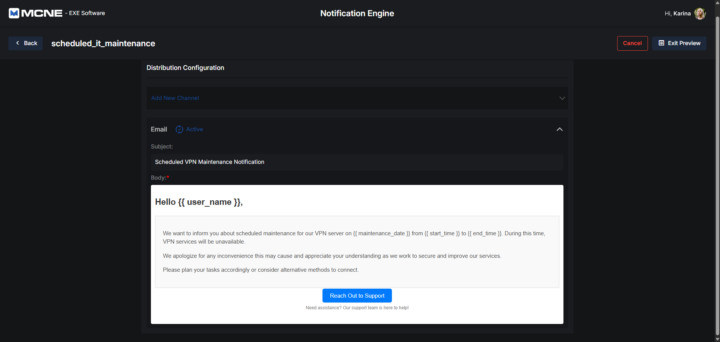
1. Select Existing Template
Begin by choosing the current template you wish to update or refine from your system.
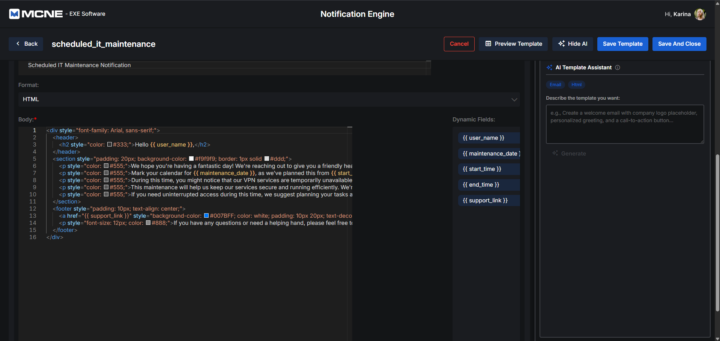
2. Preview Existing Template
Open the preview mode to review the current content and layout. This gives you a clear baseline and helps you identify exactly which sections need to be adjusted.
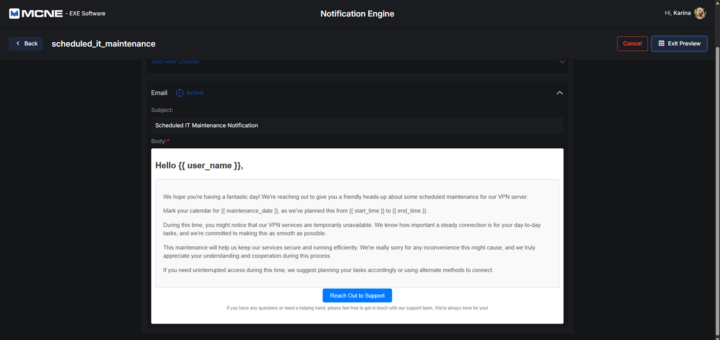
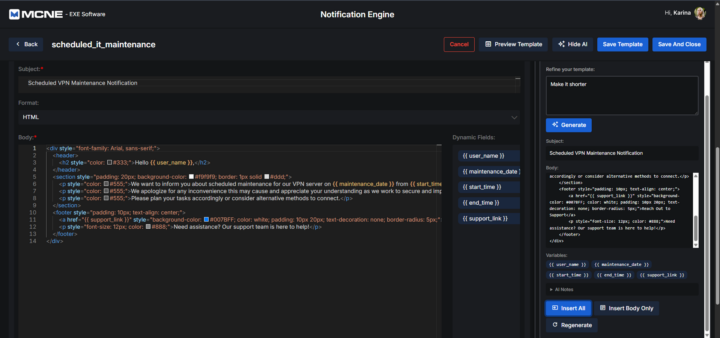
3. Prompt to Make it Shorter
Engage the AI tool to edit the text. Provide a specific prompt, such as asking it to “make it shorter,” to automatically condense and refine the existing content while keeping the core message intact.
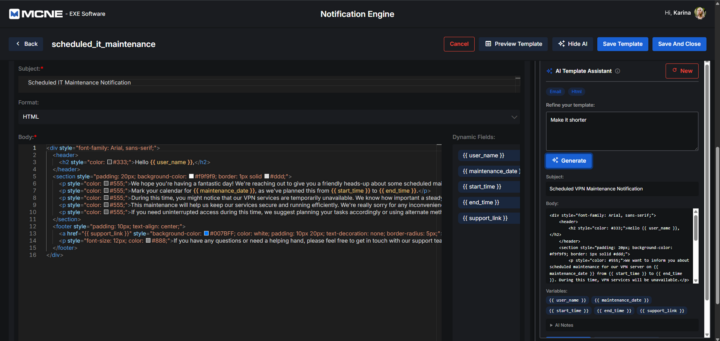
4. Insert Newly Generated Body
Once the AI has generated the revised, shorter text, replace the old content by inserting the newly generated body directly into your template.
5. Preview the New Template
Do a final review of your updated document. Check the preview to ensure the new AI-edited text flows naturally and fits perfectly within your template’s layout before finalizing.